Connectivity
Connect anything: SFTP/FTPS/FTP, WebDAV, HTTP(S), S3, SMB, and HL7/FHIR/X12 — with password or modern SSH-key auth.
 Relayrix
Connect anything. Automate everything.
Relayrix is self-hosted managed file transfer software. Move files the moment they land, or on a schedule — SFTP, FTPS, S3 and HL7/FHIR/X12 — and prove every one of them arrived.
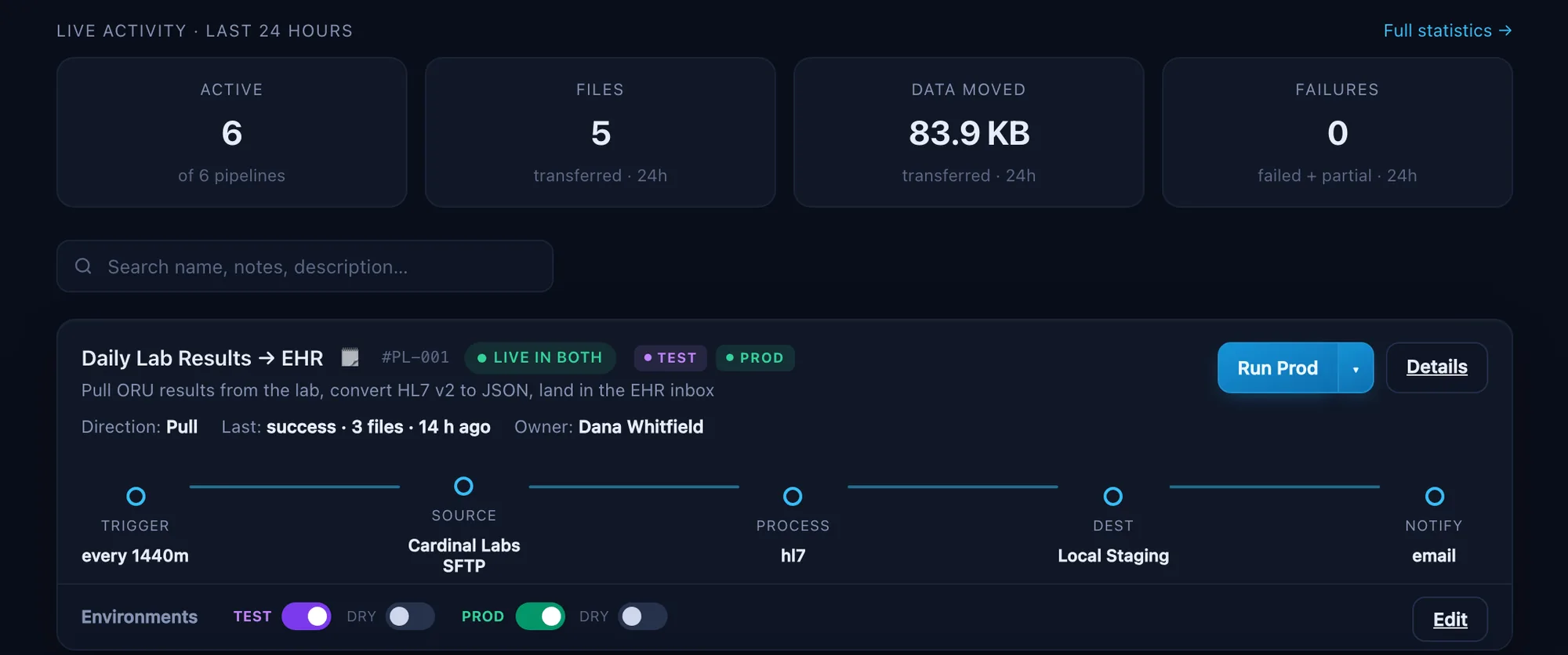
What Relayrix does
Connect anything: SFTP/FTPS/FTP, WebDAV, HTTP(S), S3, SMB, and HL7/FHIR/X12 — with password or modern SSH-key auth.
Move a file the second it lands, on a schedule, or on demand — running unattended, on every kind of source.
What you sent, where it landed, and the exact second it got there. Every file, automatically.
Every file you’ve ever sent, searchable in seconds, in a record nobody can quietly edit.
Not bolted on afterwards: AES-256 at rest, the strongest encryption both sides support in transit, per-person logins with role-based access, an audit trail nobody can quietly edit, and an integrity check on every file. All five technical safeguards in the HIPAA Security Rule.
Encrypt to a partner’s key on the way out, decrypt what they send back — inside the same pipeline, not a paid add-on and not a step somebody has to remember.
One platform on your own infrastructure, with Test and Prod environments built in.
Real-time transfers
Most transfer tools move files on a timetable, so a file that arrives at 9:01 sits there until ten o’clock. Relayrix can watch the source instead and move each file as it appears — measured in seconds, not the gap between runs. It works on every kind of source, not just a folder on the local disk, and it’s a setting on the pipeline, not a different product.
A folder on your own machine or network share is event-driven — Relayrix is told the file is there rather than going to look, so the transfer starts immediately.
A partner’s SFTP box can’t announce a new file, so Relayrix holds the connection open and checks as often as every second. You choose the cadence; a file typically moves within a few seconds of arriving.
A file still being uploaded looks exactly like a finished one. Relayrix waits for it to stop changing before touching it — so you never send half a batch and record it as a success.
Watching all day doesn’t fill your history with empty runs, and a partner’s server going down gets you one alert, not one every second. Restart the app and anything that arrived while it was off is picked up too.
Healthcare-aware
Drop in HL7, FHIR, or X12 and validate or convert mid-flight — no separate engine, no extra hop. The transform runs as part of the same pipeline that moves the file.
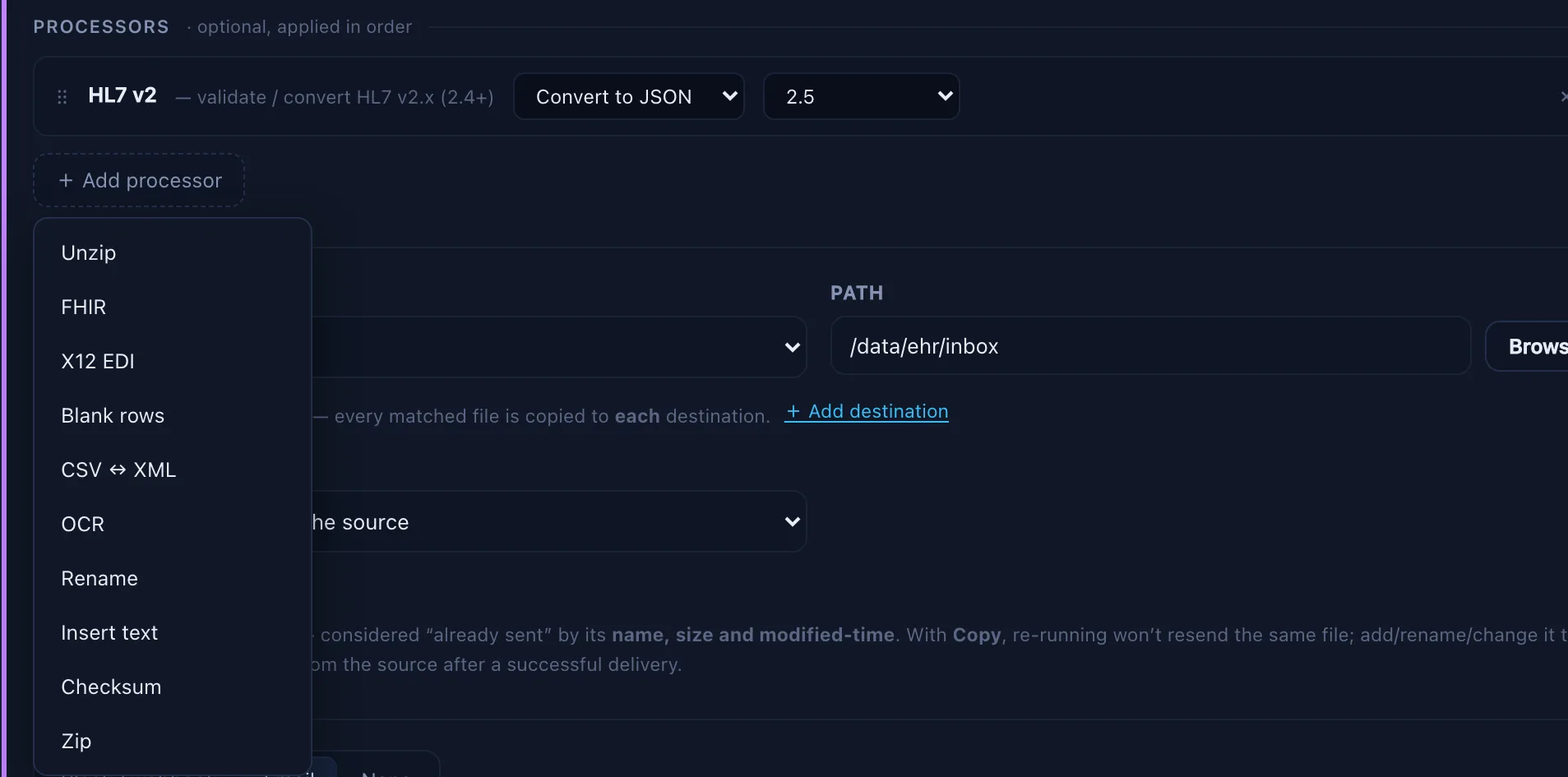
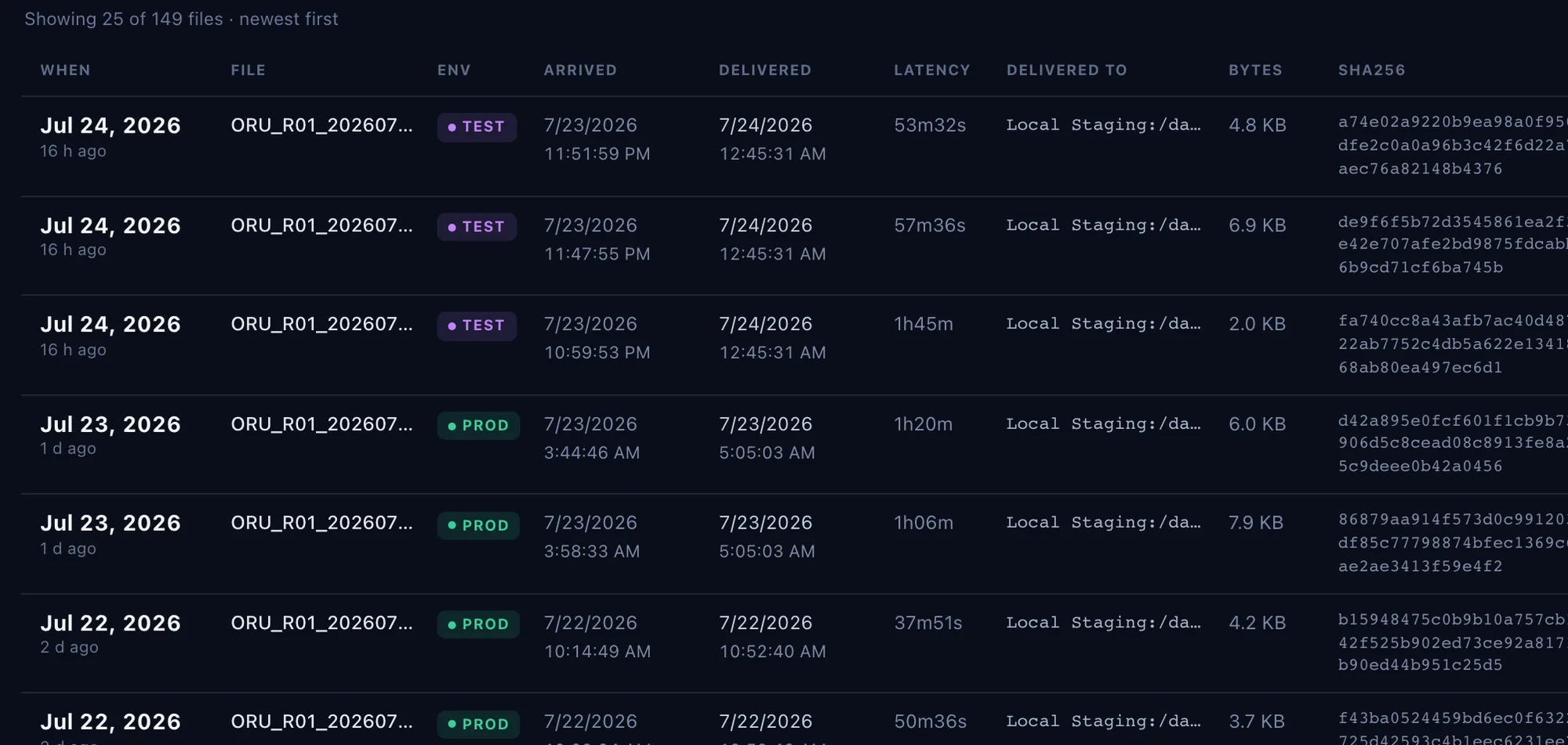
Delivery receipts
Every file Relayrix delivers is recorded the moment it lands — what went out, exactly where, and when. So when a partner says the file never came, you don’t argue. You pull up the receipt — and send it.
What you sent, where it landed, and exactly when — with nobody having to remember to check.
Anything can say sent. Relayrix goes back and checks the file is really sitting on their server before it counts as delivered.
Search months of transfers by filename in seconds — every run, every file, success or failure.
A record nobody can quietly edit, including you. Hand it to an auditor or drop it into a dispute and it stands.
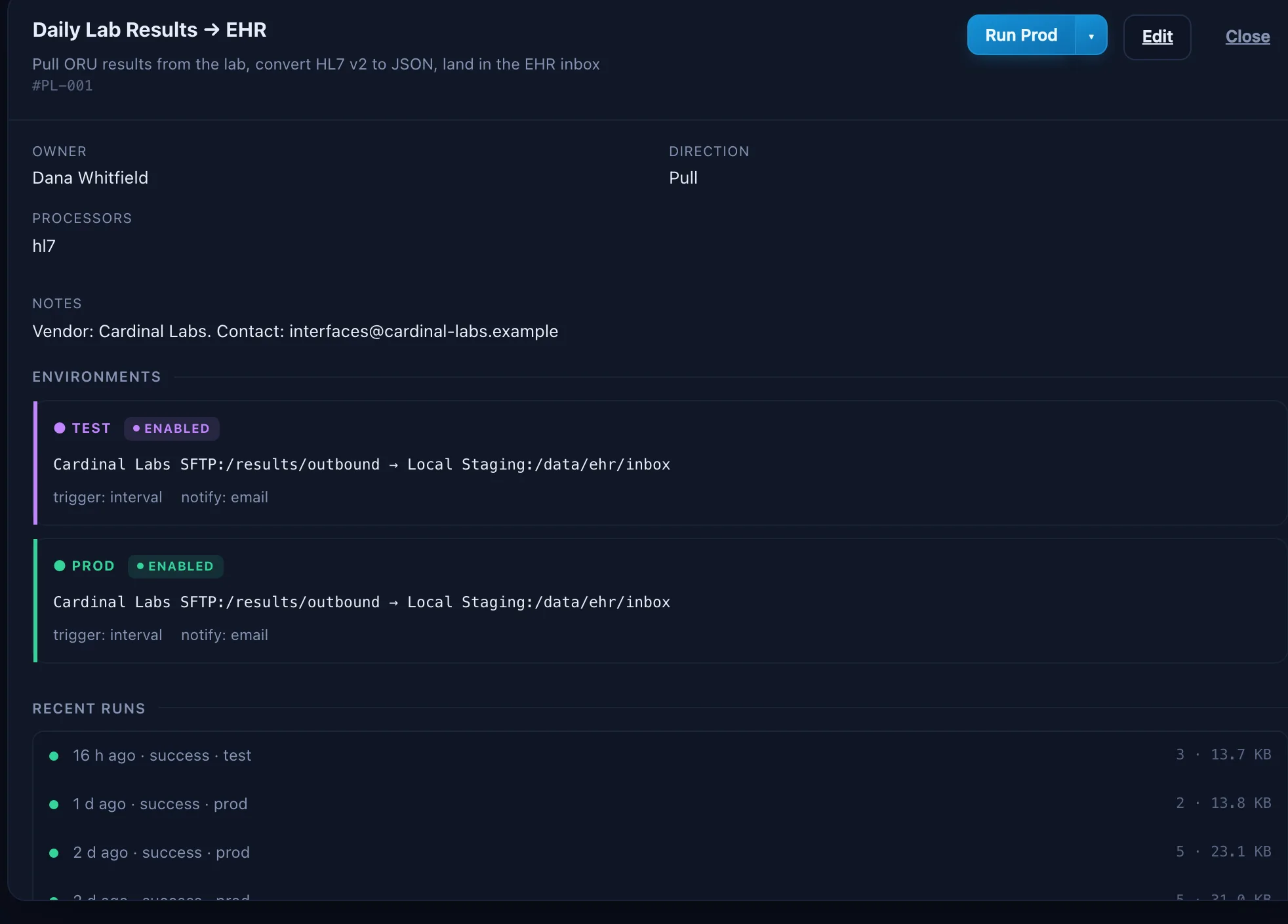
SFTP automation
Either a desktop client moves a file only when somebody remembers, or a pile of scripts behind cron jobs and scheduled tasks moves it until one stops and nobody notices. Relayrix runs the same transfers on a schedule, confirms they actually landed, and tells you when they don’t — so nobody has to sit at a keyboard dragging folders, and nobody has to ask “did that go out?”
Schedules and real-time folder watchers fire the transfer at 2 a.m., over a holiday weekend, and while the one person who knows the process is on vacation — within seconds of the file arriving, not whenever someone next logs in.
Hosts, keys, and passwords live encrypted in one place, behind role-based access — not saved in five people’s clients and a shared doc.
A client’s transfer log disappears when you close the window. Relayrix keeps a dated receipt for every file, going back as far as you like.
SFTP, FTPS, FTP, WebDAV, S3, SMB, HTTP(S), and local paths — password or SSH-key auth. Point it at the servers you already connect to and keep going.
How SFTP automation replaces a script and a scheduled task →
One platform, not a pile of scripts
Every team has them: a cron job on a server nobody remembers, a script written by someone who left, a scheduled task that works right up until it quietly doesn’t. Relayrix runs every transfer in one place, so you can see at a glance what ran, what didn’t, and what still needs you — without logging into four servers to find out.
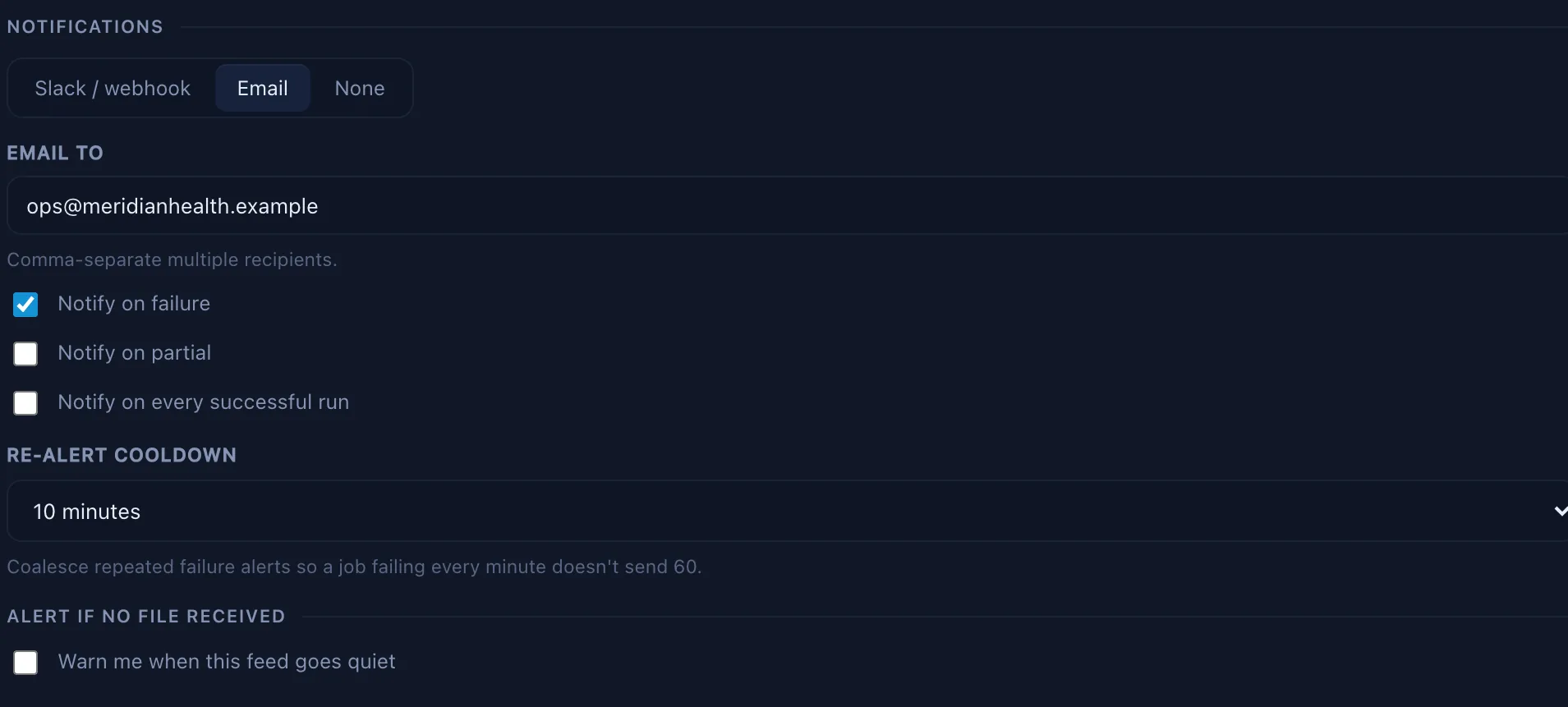
Notifications
You shouldn’t find out about a missed feed from the person waiting on it. Failures, partial transfers, and stale or late feeds are flagged the moment they happen. An alert can still be missed, so every file that failed stays on the dashboard until it’s dealt with.
Illustrative — representative outcomes, attributed by role and industry.
Honestly I put off replacing our old scripts for two years because I dreaded the migration. It took an afternoon. Now when a feed doesn’t land I get a message, not a phone call from the hospital.
With a small IT team, our file transfers were a constant draw on our time. The delivery receipts already resolved a dispute with a payer who insisted a file was never sent.
We were running transfers off a machine under someone’s desk. Moving to one place we could actually watch cut our failures way down.
Nothing leaves your network
Your files and your data stay inside your infrastructure. The only connections Relayrix opens are the ones you set up: your partners’ servers, your mail server, your chat webhook.
No usage reporting, no crash reporting, no analytics.
Your key is checked on your own server. Nothing calls out to activate or renew it.
The download is the whole application, already built. Nothing is fetched or compiled on your network, and the console loads no outside fonts, scripts, or trackers.
Files go where your pipelines send them, and nowhere else.
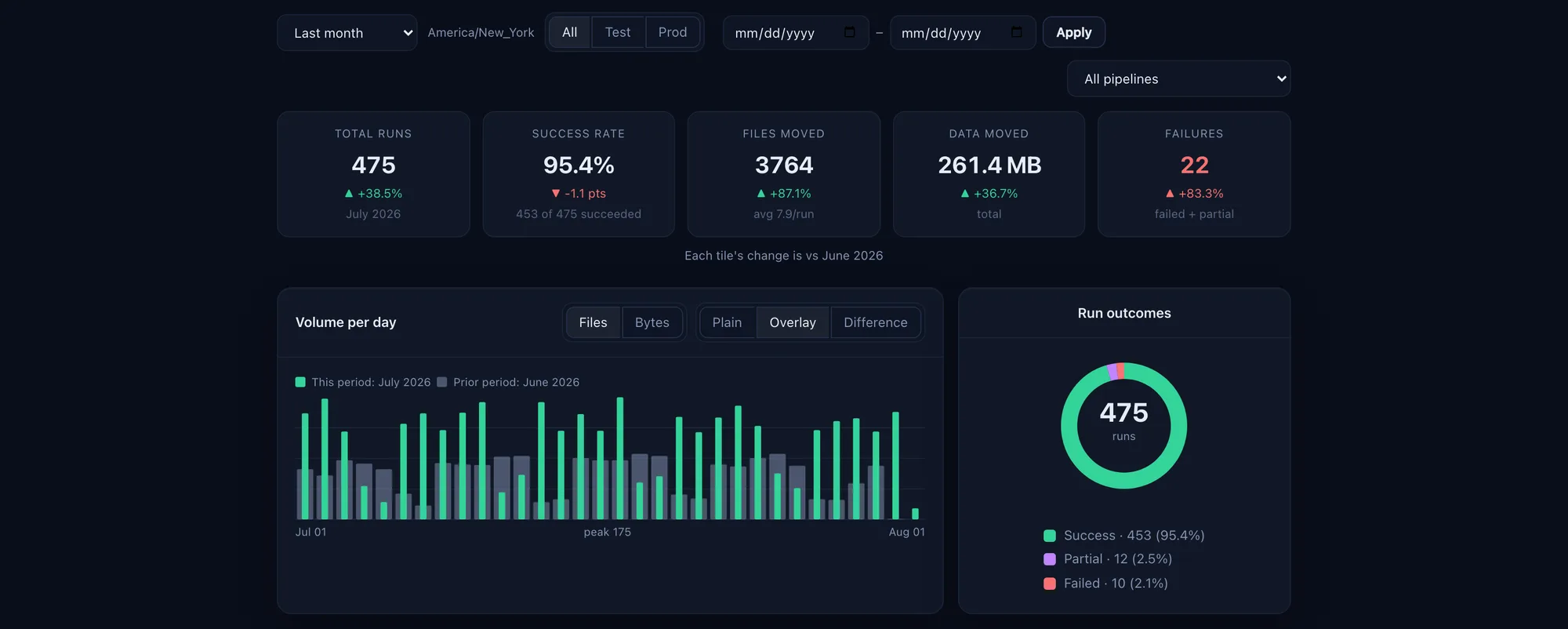
The case studies quote the outcomes; the dashboard shows the operational reality behind them.
Illustrative — representative outcomes, attributed by role and industry. Figures vary by install.
Switching engines
Run it alongside what you have and move one feed at a time. HL7, FHIR and X12 are handled here too, so nothing has to be switched off over a weekend.
| Capability | RelayrixSelf-hosted | Other commercial engines | What you’re doing now |
|---|---|---|---|
| What you pay each year | $4,500, flat | $20K–40K reported quotes · $100K+ at scale | Whatever you pay now, plus the staff time around it |
| What growth costs you | Nothing — unlimited feeds, both environments | Depends on the tier you’re licensed for | Another script to write and maintain |
| Alerts you when a file doesn’t arrive | On your deadline — “by 09:00, Mon–Fri” | A rolling count, not a deadline | No |
| A receipt proving the file landed on their server | Every file, every time | Partial | Not usually |
| Reports you can forward to your boss | Scheduled to your inbox | Written for whoever runs the system | No |
| Your partner never picks up half a file | Prevented by design | Varies | Not usually |
| An audit trail nobody can quietly edit | Yes — and provable | Message logs | No |
| Clinical messages and plain file drops, side by side | Both, same screen | Message-first by design | Files only |
| Healthcare formats (HL7, FHIR, X12) | Built in | Yes | Build it yourself |
| Who runs it day to day | Your existing team, using forms | An integration developer | Whoever wrote the scripts |
| Time to first live feed | Minutes | Days–weeks | Varies |
A receipt, not a log entry. We read the file back off their server and check it matches what we sent, byte for byte (SHA-256). Only then does it count as delivered.
Never half a file. Their system picks up files the moment they appear. The filename doesn’t appear until the whole file has landed — so a dropped transfer leaves them nothing, rather than half a batch they’ll process anyway.
A deadline, not a hunch. Not “it’s been quiet a while” — “the 6am claims file still hasn’t landed, and it’s 09:15 Tuesday.” Your time zone, right through the clock change.
Nobody new to hire. Setting up a feed is filling in a form, not writing code. Reported quotes for a commercial engine start around $20,000 for ten connections, plus roughly 20% a year in maintenance — before hiring anyone to run it.
Billed annually · self-hosted license · no per-connection metering.
Reported quotes for commercial interface engines run $20–40K a year, and past $100K at scale. None of them publish list pricing, so treat those as estimates.
Compare on the loaded price, not the sticker. Diplomat MFT’s entry tier lists at $3,999 — close to ours — but PGP Web Transfer is a $2,999/yr add-on and SSO another $1,499/yr. Add the one box almost every partner asks for and the comparable configuration is $6,998. Ours is one number with the PGP in it.
Not ready to buy? Start a 14-day free trial — the full product, no credit card, one trial per account.